
Software · Platform
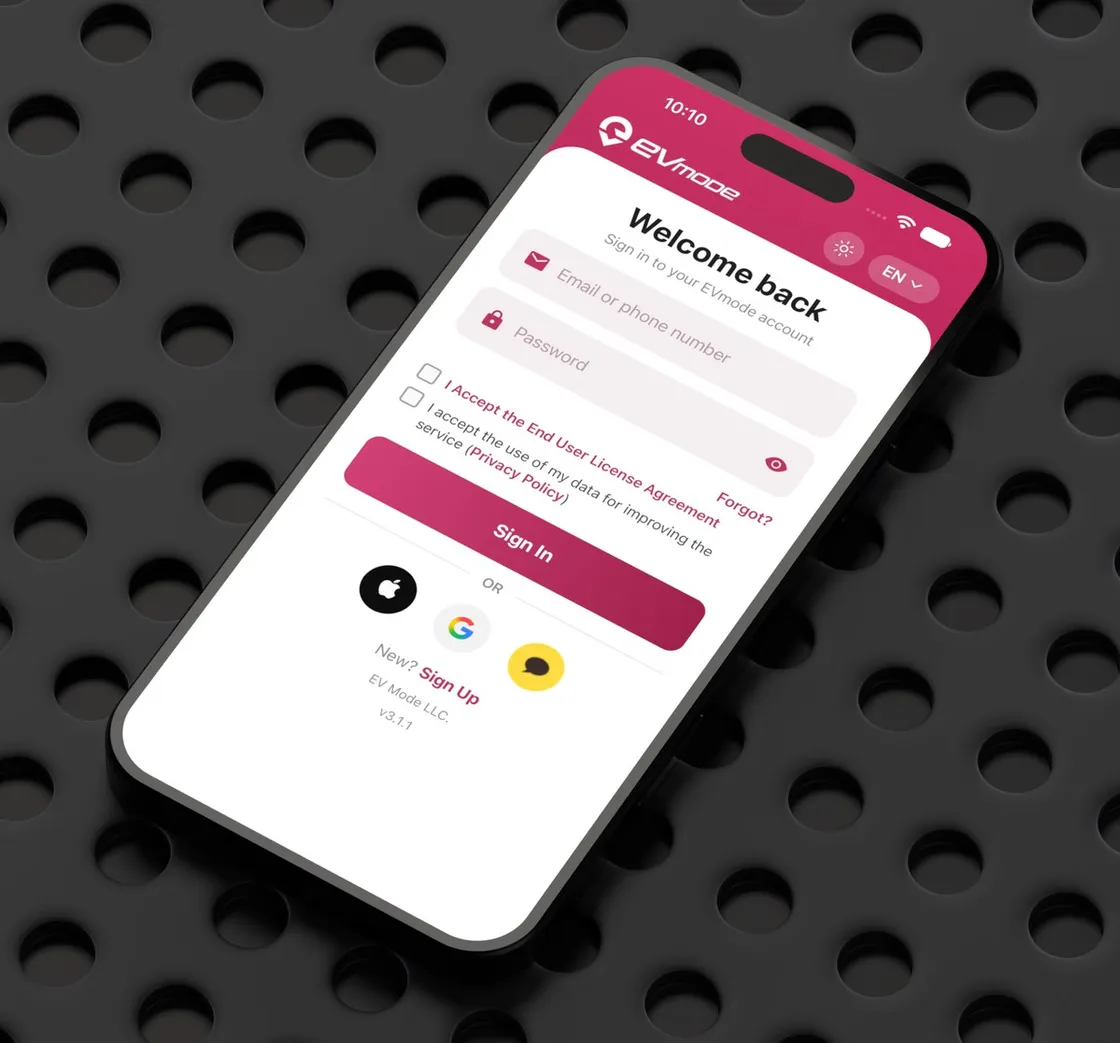
EVmode Smartphone App
Find, charge and pay in one app
Drivers can find EVmode chargers, start a session with a QR scan, pay with Apple Pay, Google Pay, card or Link, and review their charging history, all in one place. Intuitively designed for simplicity.
- iOS & Android
- Apple Pay · Google Pay · Card · Link
- No Card Data Stored
- Sign in with Apple / Google
- QR Charging
- OCPP 1.6J / 2.0.1
Two audiences
One app. Built for drivers, ready for partners.
For Drivers
Scan, charge and pay in seconds
Find a charger, scan, charge and pay in seconds. Sign in with Apple or Google, pay with the wallet already on your phone, and never type a card number at the charger.
For Partner Companies
A ready-made charging app for your chargers
Give your customers a polished charging app without building one. Connect your OCPP chargers to EVmode CSMS, and drivers can find, start and pay for sessions at your sites in the EVmode app from day one.
How it works
From parking spot to charging in four steps
No RFID card, no account number, no waiting. Here is what charging looks like in the EVmode app.
 1
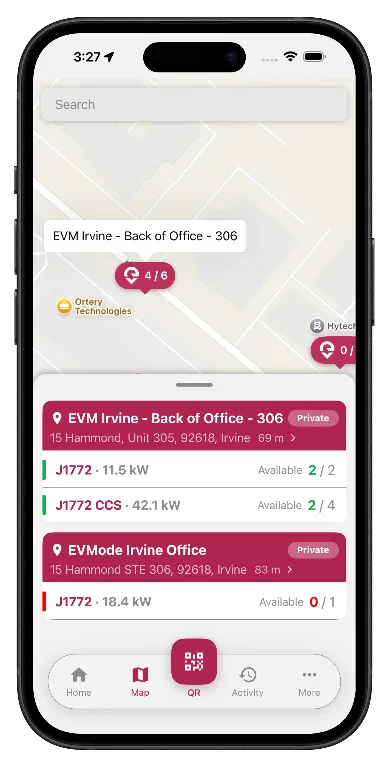
Find a charger
Open the map to see nearby stations with live availability, charging speed and price.
 2
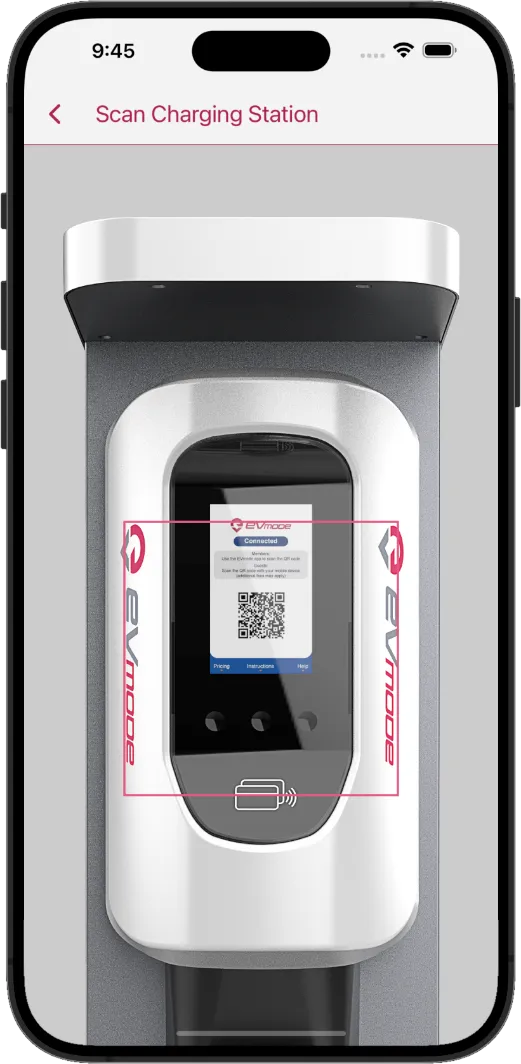
Scan the QR code
Plug in, then scan the QR code on the charger. Charging starts right away.
 3
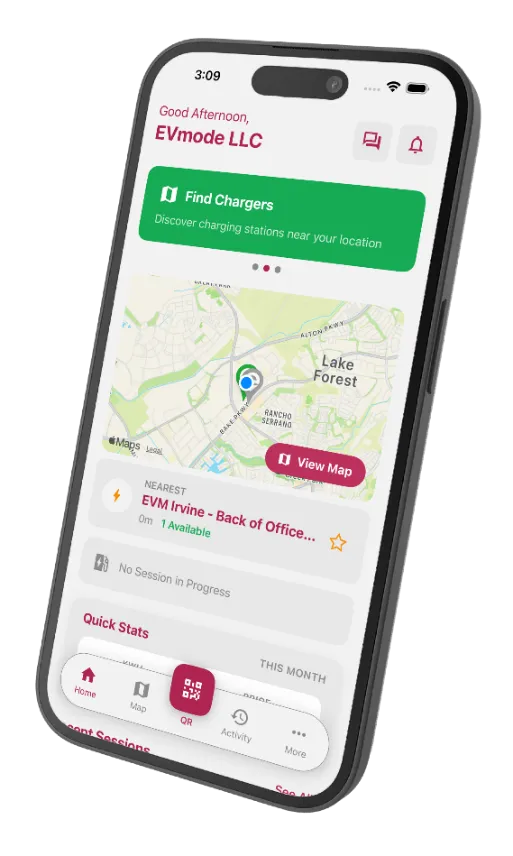
Watch it charge
See energy and cost in real time while you charge, from anywhere.
 4
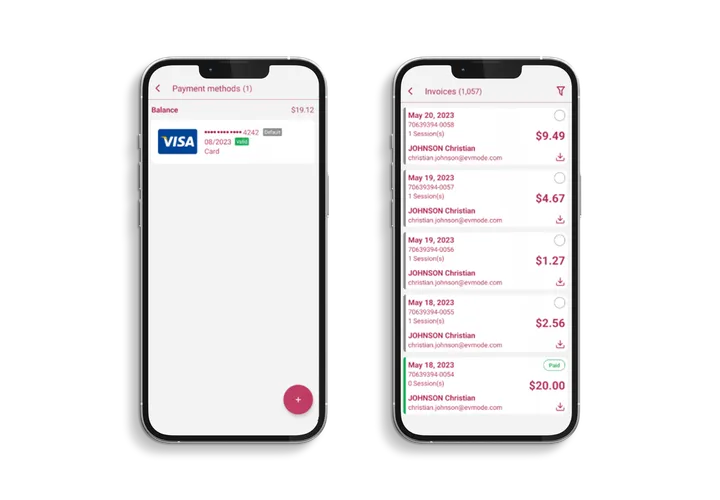
Pay automatically
Your payment method is charged when the session ends, and every receipt stays in the app.
Features
Everything drivers need. Everything partners want.
01
Find a Charger
See nearby stations with live availability, charging speed and price, on a map or in a list.
02
Start with a QR Code
Easy QR code charging: scan the charger's QR code and charging starts right away. No RFID card, no account number, no waiting.
03
Easy Payment
Pay your way with Apple Pay, Google Pay, credit card or Link. Your payment method is charged automatically when the session ends.
04
Live Status & History
See energy and cost in real time, and review past sessions and receipts.
05
Secure Payment: No Card Data Stored
Card details never touch EVmode's servers. Payments are tokenized and processed by our PCI-compliant payment partner, so drivers can pay with confidence and partners carry less risk.
06
Social Login with Apple & Google
Sign up in one tap. Sign in with Apple and Sign in with Google remove passwords and long forms, so new drivers get from download to first charge faster.
07
iOS & Android
Native apps on the App Store and Google Play, so every driver gets the same smooth experience on the phone they already have.
08
Works with OCPP 1.6J & 2.0.1 Chargers
The app connects to chargers through EVmode CSMS using OCPP 1.6J and 2.0.1. Partners can bring hardware from any OCPP-compliant manufacturer.
For Partners
Put your chargers on the EVmode app
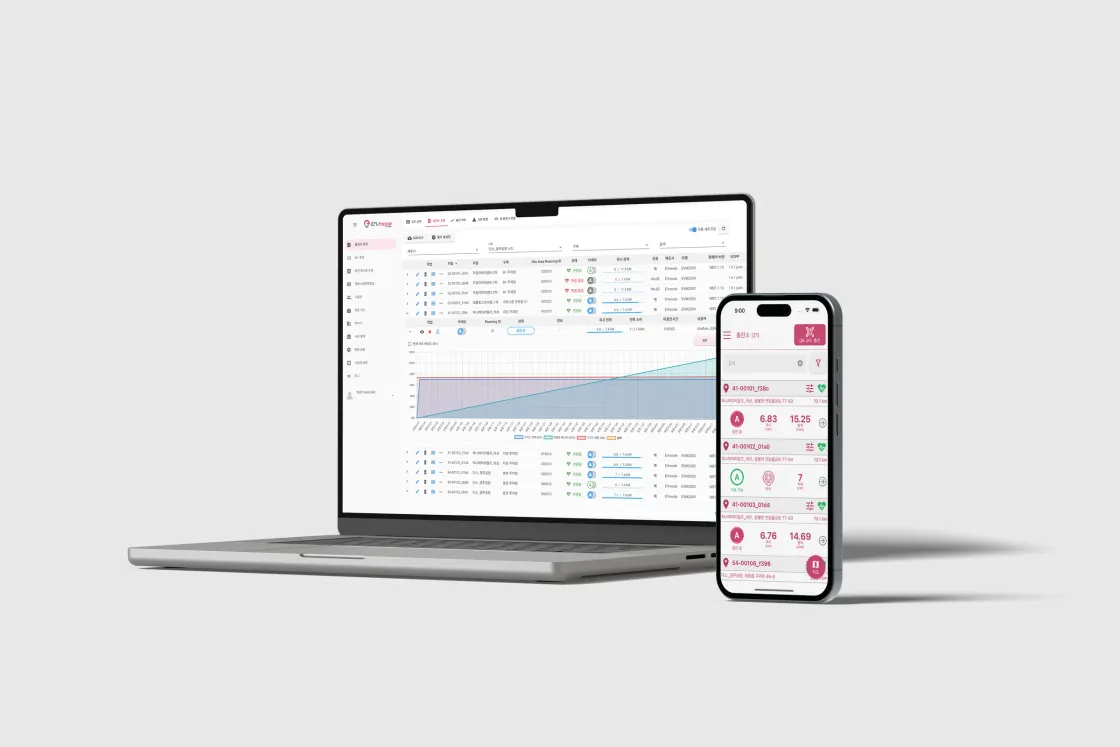
Charge point operators, property owners, fleets and resellers can offer drivers a complete charging app without building one. EVmode handles the app, payments and charger connections. You focus on growing your sites.
- Drivers find, start and pay at your chargers in the EVmode app
- Apple Pay, Google Pay, card and Link payments, with no card data stored
- Connects to OCPP 1.6J / 2.0.1 chargers from any OCPP-compliant manufacturer
- Pricing, sessions and revenue managed from EVmode CSMS
- No app development or maintenance on your side
Platform
Mobile App
- Platforms
- iOS / Android
- Payment
- Apple Pay, Google Pay, credit card, Link
- Payment security
- Tokenized payments, no card data stored
- Sign-in
- Sign in with Apple, Sign in with Google
- Start charging
- Scan the QR code
- Languages
- Multiple languages, with more easy to add
Partners & Integration
- Charger protocol
- OCPP 1.6J and 2.0.1 (via EVmode CSMS)
- Management
- EVmode CSMS
Frequently asked questions
How do I start charging with the EVmode app?
Find a charger in the app, plug in and scan the QR code on the charger. Charging starts right away, with no RFID card or account number needed.
Which payment methods does the EVmode app accept?
Apple Pay, Google Pay, credit card and Link. Your payment method is charged automatically when the session ends, and card details are never stored on EVmode's servers.
Which chargers work with the EVmode app?
Any OCPP 1.6J or 2.0.1 charger connected to EVmode CSMS, from EVmode or other OCPP-compliant manufacturers.
Ready to put your chargers in your drivers' pockets?
Download the app to start charging, or talk to our team about putting your chargers on the EVmode app.
Request a Quote
Request a Quote
Consult with our experts to receive your customized solution.