Blog
Kia or Hyundai Stops Charging Before the Battery Is Full
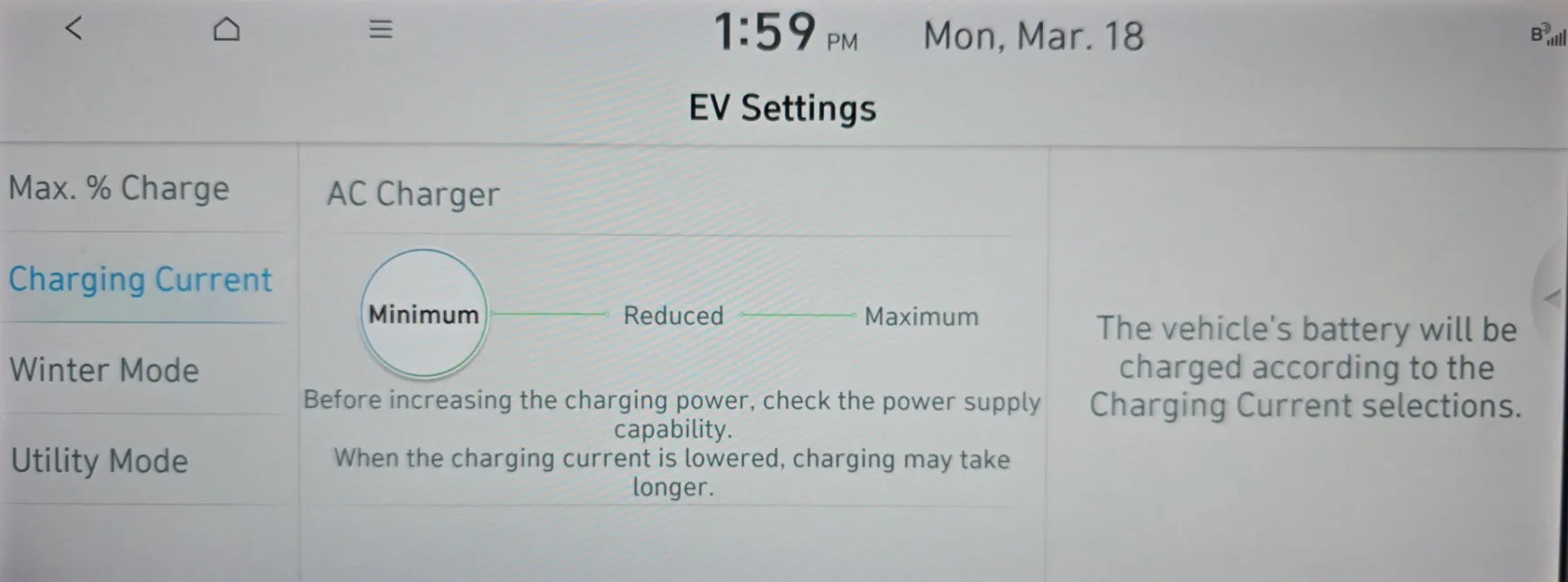
Some Kia and Hyundai models stop charging before the battery is full when they charge at more than about 7 kW on a Level 2 charger. Lowering the charging current in the car’s settings fixes this. It takes a minute and you only need to do it once.
Lower the charging current
- On the car’s center screen, open the app list and select EV. On the home screen, you can also press the picture of the car in the center.
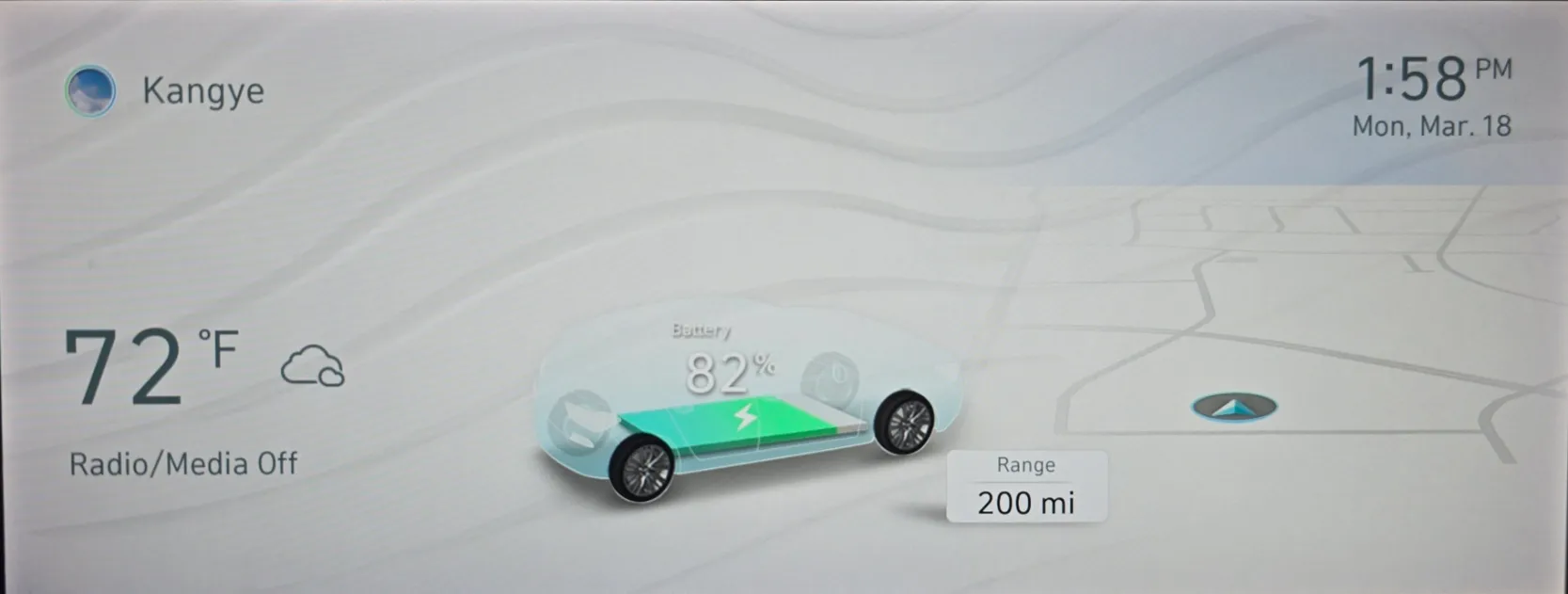
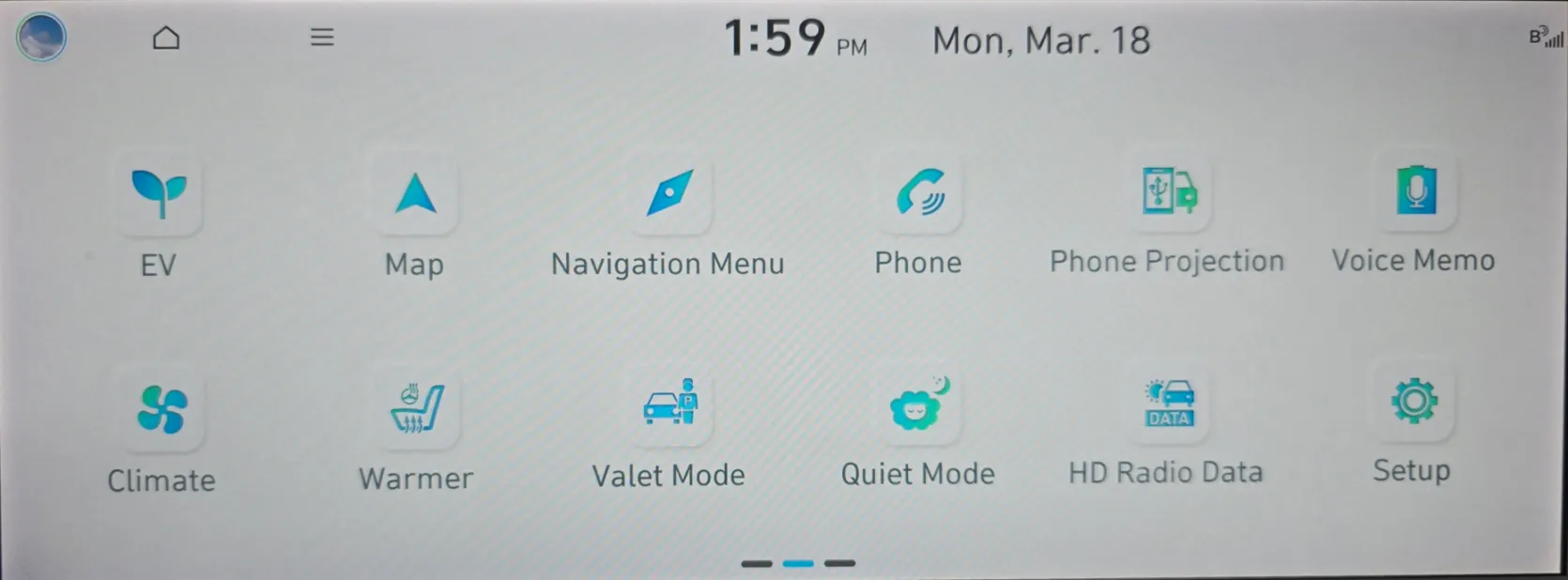
- Select Charging Current on the left, then set the AC charger current to Reduced or Minimum.
- Check the charging rate on the car or the charger. It should show about 7 kW or less. The EVmode app can take up to a minute to show the new rate.
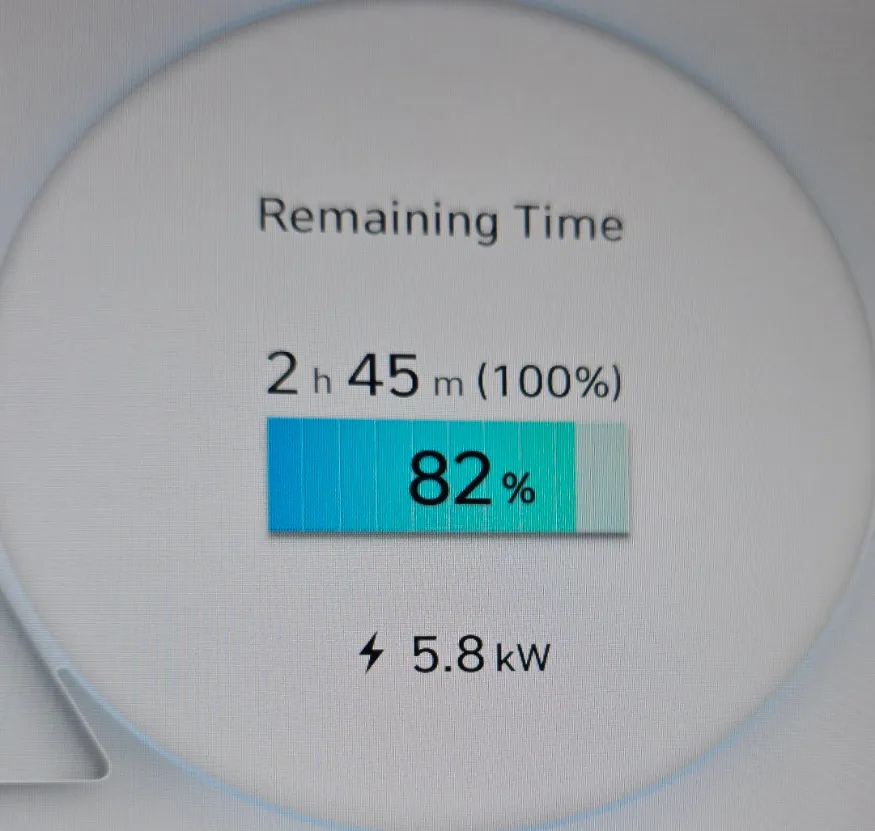
Charging at a lower current takes a little longer, but the car will keep charging until it reaches its charge limit.
Still stopping early?
Check that the car’s charge limit and charging schedule aren’t stopping it (see our FAQ). If it still stops early, contact us through the EVmode support center and tell us the charger location and the time of the session.